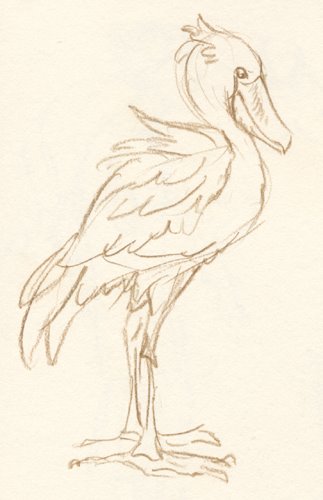
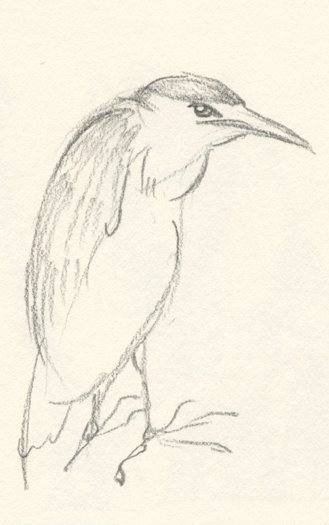
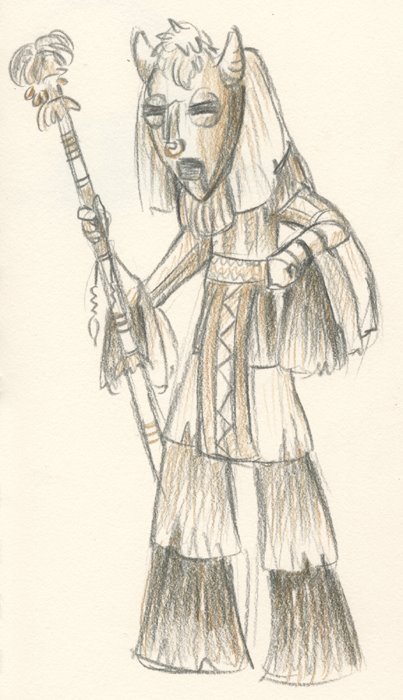
As promised, here's a few of the sketches I've managed to crank out on my Nintendo DS using "Colors!" It's been tricky getting used to the controls and drawing on a tiny screen, but I guess they came out alright.
This first one I drew on the bus; the fires were still burning over the hills which is why the sun was all red.
The second one I started sketching out while we were waiting in line for the Dark Knight. This was the theatre across the street from ours. :)
While it's definitely not as natural for me to draw with a tiny stylus on a tiny screen, I do enjoy being able to use color without dragging around a box of pencils or a paint set. It's clean and organized! But if the battery runs out, I guess I should bring my trusty sketchbook for backup. And it definitely won't replace my home computer and WACOM for my more polished pieces, for sure. But it's a fun little toy to mess around with.
So I just got my hands on a homebrew program for my Nintendo DS called "Colors!" (yes, the exclamation point is part of the name). It's a pretty basic paint program, but it's nice that it's pressure sensitive with the DS touchscreen. Pretty cool having sort of a miniature Cintique in my pocket that I can bring on trips! It'll take some getting used to, though. Not quite ready to show any Colors sketches just yet. I still have to figure out how the wi-fi thing works anyhow...
I was inspired by some other artist blogs to try a style without concrete outlines. I think I only managed a half-success on that front, and the color turned out kinda messy... but there was something freeing about working mainly on one layer in Photoshop. Normally I end up with 10-20 layers all with different colors or shadows or whatever. But this time I think I ended up with 2, and mainly because I was afraid of screwing up the animals when I drew the reins on top.
I think it's good practice for being more confident in setting down "paint" as well. I wasn't relying on the undo button nearly as much, instead if I made a mistake I'd just draw over it. This would be essential should I ever get Colors for my DS, as that software doesn't have an undo button. And obviously should I ever decide to paint with a real canvas and brush, this would come in handy as well. :)
But yeah, overall I was happy with how different the style turned out, as compared to something like this, where I was deliberately going for hard lines and outlines:
This isn't really a drawing per se, but I did have some Photoshop fun. This is what's going to turn into the splash page for our wedding website! Too bad TheKnot.com doesn't let us upload our own templates, so we're stuck with a silly default one for all our info. But we wanted to have something theme-related for our guests to see first since we got engaged on the Peter Pan ride at Disneyland. So we're making this and uploading it to Googlepages, with a link to the Knot site.
I scrounged around for a good photo of Big Ben and found this on Flickr:
It's a neat angle and I liked the clouds, but I wanted the shot to more closely resemble the night scene from the movie where the kids and Peter all land on one of the arms. So I threw a bluish-purple layer over it set to Overlay (which happens to be one of the colors for our wedding):
Now the hue is correct, but that sky is way too bright to be a night shot. I went in and adjusted the curves to darken everything up (but kept the clock face relatively light since Big Ben lights up in the evenings):
Next came a little bit of lighting on the face.
I wanted the focus of the picture to be on the tower itself, so I found a photo I'd shot a while back of some clouds, chopped out a piece and covered up the part of the building I didn't want in there.
Lastly... a little fairy dust to add to the magic. :) I've got a Photoshop brush that I'd made a while back that does some nice sparkly effects!
It's nothing too fancy, but I think it'll look nice with a good font and a catchy phrase. Maybe "Think of a Wonderful Thought?"
I was mulling over my life (as I often do when Lent rolls around), and decided I needed to try to find some joy in my artwork again. I want to regain the inspiration and excitement I've felt before whenever putting pencil to paper. I feel as though my creativity is such a big part of my life, that to reflect on myself and find it lacking means I need to do some serious overhauling. What good is an animator who has trouble finding the energy or willpower to create?
So on Ash Wednesday I resolved to try to draw something every day for the duration of the season. I started small... I had been perusing James Baxter's website and watched his reel for Enchanted over and over again, marveling at his work. At one point I paused the frame and tried to sketch out the poses of the prince and princess as they sang their duet. I didn't get to the details of the faces and clothes; mainly focused on the gesture. There was something about the contrast of the proud, masculine Edward crooning to his "true love" with the slender femininity of Giselle that caught my eye.
Unfortunately my scanner is packed somewhere amongst all my boxes as I'm moving out of my apartment, so I can't upload the sketch here. I'm pretty rusty anyway so I don't know that I'd want to share it regardless. Here's the frame I was trying to draw:
If you're interested, James Baxter's site is here!
I was analyzing a video of a cheetah running (to study quadrupedal locomotion), and noticed something strange. Sometimes it would put its left paw down before its right... but sometimes it would put the right one down first! And vice versa for the hind legs. Is this a common trait for all quadrupeds? Or maybe just cats? Or just cheetahs? Or perhaps this particular cheetah happened to be ambidextrous?
Since the camera was trucking from the side, I suppose it's difficult to tell whether the cheetah was making adjustments to its running path. It may be that to turn a certain direction it would be more efficient to place a certain paw down first. It would be interesting to study it from different angles.
By the way, if all you animators haven't discovered bbcmotiongallery.com yet, I highly recommend it! Set your preferences to Quicktime and you have a library of stock footage you can scroll through frame by frame. Great stuff!
Well... I don't have a legitimate excuse for not posting an update in forever. I would say I had no time to draw during crunch time, but that's not true as I did do a few pieces of fanart for some online games I play called Adventure Quest and DragonFable.
I could also say I didn't have time to work on my film... but that's not true either as I managed to finish all the animation/textures/lighting and am now just working on audio (whoohoo!!). Hopefully within the next few months I'll be able to wrap it all up, send it off to festivals, throw it on YouTube, etc.
Anyway, so about that fanart. I'll probably post up a few of them over the next couple entries; I've been working on learning how to color in Photoshop and got a few tips here and there, but always could use more practice. Man I wish I were taking figure drawing again, too.
This was a character one of the players came up with named Fulcan Ryst; the player is a big fan of Kingdom Hearts and Final Fantasy so I started with reference images from those games, then used his own photo of himself on Myspace to do the character's head.
We were fortunate to have relatively mild weather for our trip to San Diego's Wild Animal Park yesterday! It's not exactly the best place for zoo drawing, since most of the animals are pretty far away. But it's incredible to see entire HERDS of animals roaming the hundreds of acres of land. It's a lot different from traditional zoos, and the animals seem pretty happy there. They're really active and hide often, so it was hard to capture them in the sketchbook! I had to settle for quick, rough drawings. Here are a few of my faves:
I finally went on a trip to the LA Zoo with Alina on Sunday morning. The weather was cool so the animals were pretty active. There were some baby animals wandering around as well! I tried Vilppu's technique of creating "scenes" by drawing various subjects in one drawing regardless of whether they were all there at the same time. This little group of gerenuks was alternating between attacking the leaves on the tree and chasing each other around the yard.
Finally finished off the secondary motion! Here's the finished product:
Had a heck of a time with the tail, as usual. I kinda wish I had made the rig with global tail controls instead of local ones, that way the tail wouldn't swing around wildly all the time. Or some kind of nifty local/global switch like we have on the rigs at work. But I'm not that smart. :)
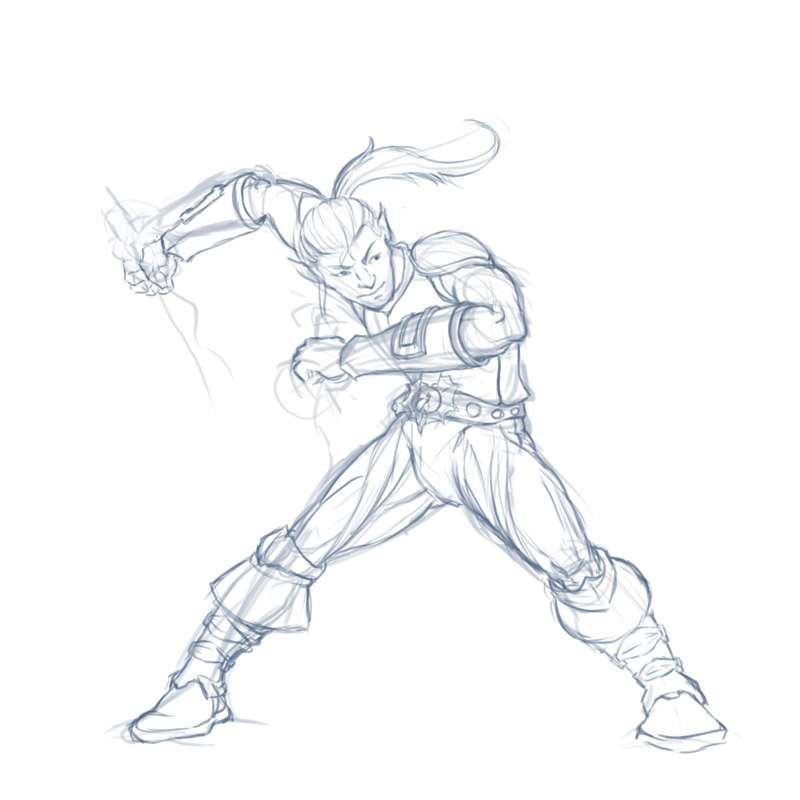
In other news, I've been trying desperately to inspire myself to draw something, anything. It's tough when I'm not in a regular drawing class and my job and student film both keep me glued to the computer. Yesterday I forced open a sketchbook and messed around with some thumbnails until I came up with one that looked decently cool. I decided to make some "fan art" for a video game I play called DragonFable. I have a Rogue character named Caelum and thought he'd be a good refresher course for some figure drawing. I even yanked out my anatomy book for this one!
So here's the rough sketch done up in Photoshop:
He's gonna be holding some daggers in the final version. We'll see if I have enough patience to color it!
I'd like to find some web resources of dynamic figure poses (y'know, martial arts, anime, fighting, dancing, acrobatics, flying through the air, matrix-y stuff). I think they would help me visualize the body in motion and in perspective. Portfolios or photo galleries or video sites, whatever. Anybody have any suggestions?
So here's that shot a week later, unfortunately it's going slow because of work deadlines and such, I don't have much time to work on it. But I moved the center character out of breakdowns and into cleanup. You can see I haven't gotten to the fingers, ears, or tail yet, but the important part was getting the torso, head, and limbs moving naturally before getting into details.
It's funny, whenever I move from stepped keys to linear interpolation, there's always some kind of timing issue. For some reason, something that looked fine in keys/breakdowns will end up being too fast or too slow when in-betweening. But it's easier (for me anyway) to fix those timing issues since I still have easily readable keyframes to adjust. After this, there's no turning back! If I have to make any major timing changes at this point, I'll just start deleting chunks of keys because the dope sheet is such a mess that it'd be almost impossible to make changes on a macro level.
Someday I'll draw again. :) Alina, when are we going to the zoo??
I'm working on the last character for "Shot 24" in my student film, Swing. This thing has taken quite a long time as I've been trying to work on it while also working fulltime at EALA. I'm lucky if I get to work on it for a few hours each day. But slowly it's getting finished! After this shot, I'll have about 5 more to go. Two of them are quite long, though, and involve all 3 characters, so I'm expecting to spend a lot of time on those two. On the positive side, the remaining shots are super easy!
So, Shot 24 happens right after Mack (the guy on the left) has shown off his "mad skillz" by throwing a rubber ball through two hoops (swish!). Now it's Hayley's turn. However Hayley has a broken arm, so she has to resort to... inventive methods.
This shot is pretty far along, I have most of the breakdowns in place already for the center character. You'll notice I work with stepped tangents, I find it closest to traditional animation and helps me maintain strong poses throughout the animation. But after I get the keys and basic timing down, I start doing breakdowns one limb at a time, to focus on arcs. That's when the dope sheet starts getting messy, because I add breakdowns based on what I feel the appropriate timing is for each arc. Don't want all the parts to move at exactly the same time, that would look rather silly! However it is still easy to see my main key poses, since when I hit "Select All" I can see which frame has a key for every body part.
It's interesting hearing how other people work. There seems to be no single definitive method of animating. How do you begin an animation?
I did video reference footage for one of the characters in this shot, complete with props... can you guess which? :)
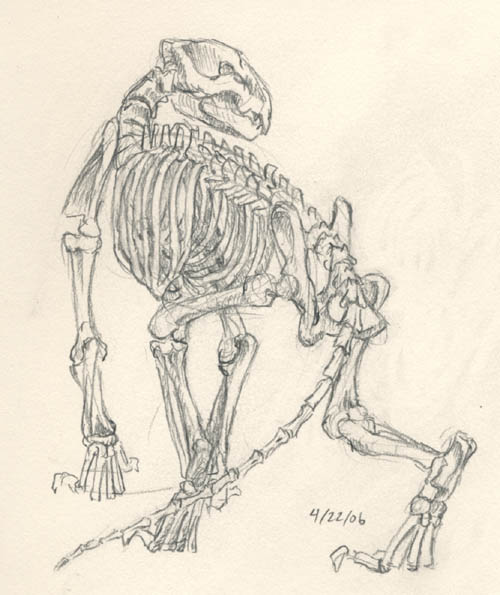
Tommy and I visited the Page Museum at the La Brea Tar Pits this past weekend; he brought along his camera and I hauled out the dusty sketchbook. It's been a terribly long time since I went to the Page Museum to sketch skeletons, and I'm afraid I'm rather rusty. I used to be able to scribble out a sabertooth cat or the famous mammoth in pen, but this time I found myself erasing and re-erasing with my mechanical pencil. No way I could have pulled it off with a Prismacolor either, it would have made a smudgy mess!
The ribcage always bogs me down, so many interlocking bones, it's hard to keep straight which one goes in front of which, and what lines signify bones, and which signify the spaces between bones!
The pelvis is another mystery; the shape is not easily simplified into a sphere or box (although in the case of the cat I suppose it could be a rectangular shape, but with the sloths, forget it).
In any case, it was good to get out of the house and see how much skill I have left with a pencil. I was actually pleasantly surprised; I expected a lot worse. :)
As for those of you who had been wondering what happened with the wolf playblast... I did take it pretty far a few weeks after I posted that blocked out version, and it's been sitting on my hard drive ever since. I added the secondary character and fleshed out the scenery a bit, played with some lights, and generally made it presentable.
I know people say that the demo reel should highlight the animation ONLY, and lighting/backgrounds only serve to distract from the animation and makes it look like you're covering up a lack of skill. I suppose I could kill the lighting/BG for the purpose of including on a demo reel, but I did have fun creating the scene.
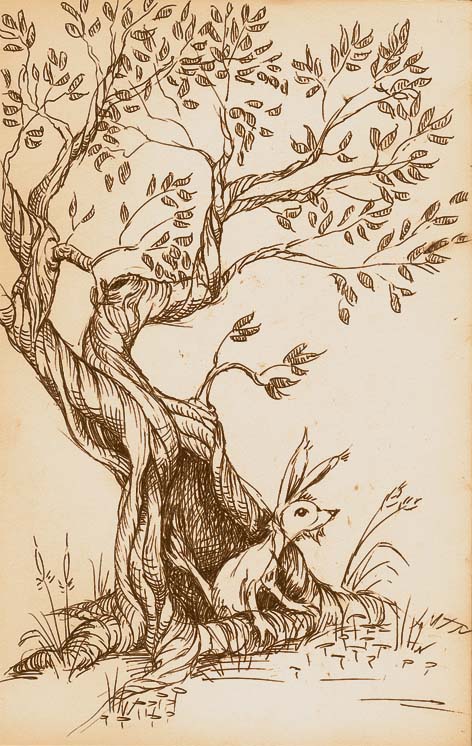
So... it's been a while since I posted stuff, so I'll try to make it up to my 2 readers by posting double in a day! This is a sketch from a recent trip to NorCal via the Greyhound bus. It was done while on the bus... not an easy task since it was bumpy! But I'm rather happy with how it turned out. I had seen a nifty looking tree on the way up that had a big hole in the bottom, and I wanted to try to capture the way it twisted around.
I'm a big fan of Charles Vess and I absolutely love the way he does his trees. Mine didn't turn out quite so lovely, a little too stylized, but ah well. I have a lot to learn.
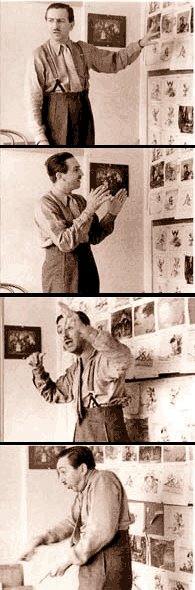
Walt Disney often made his artists prepare their storyboards with only pictures; dialogue was added at the end of the process, when they determined how few words were actually needed to tell the story. In 2001, Joe Grant, who did key story work on "Snow White, "Pinnochio" and other Disney features, said in an interview: "Walt was a great advocate of pantomime. He would stand in front of the boards and re-enact the scene. You could see the reflection of him in the film: his pantomime was beautifully followed through. Today it's all talking heads."
One of the major drawbacks of working with a typed script is that we tend to try to fill that space with dialogue. This is especially true in live action, but animation also suffers from that fate at times. There is an urge to describe every emotion that a character feels with words, when often the actions and expressions will suffice. Dialogue slapped on top of it only destroys what could be a truly magical moment.
Not that dialogue doesn't have its place. Spoken language developed as a means of communication when facial expression and body language weren't enough to convey a complex idea. However, those basic movements and expressions are the most universal, and will reach the widest audience where the cultural nuances of spoken language fail.
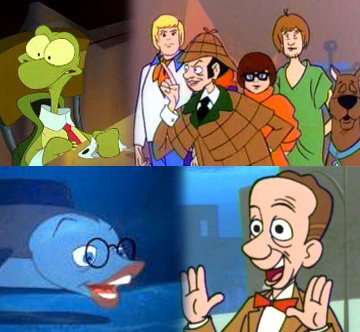
Don Knotts passed away this Friday. In addition to his famous role as Barney Fife on the Andy Griffith Show, he did a lot of animation voiceover work, including T.W. Turtle from Cats Don't Dance (one of my favorite movies!). He had such a distinct voice that you could always recognize him in any animated film he was in.
On top of that he was always just a funny guy to watch on screen in live-action. His facial expressions were cartoony themselves. My sister, cousins, and I used to watch "The Ghost and Mr. Chicken" and "The Private Eyes" every other week. We never got tired of them! He really knew how to make us laugh.
Don Knotts was one of the actors we grew up watching, along with Peter Sellers, Julie Andrews, Audrey Hepburn, Laurel and Hardy, and Abbott and Costello. We spent summer afternoons at my grandparents' house watching the same movies over and over again, pretending we were those characters, putting on skits for our families... so yeah, Don Knotts was a really big part of my childhood. Perhaps I shall watch Cats Don't Dance and The Private Eyes in his honor.
Rest in peace, Don. The world will always remember you.
I have come to the conclusion that the difficulty of animation is exponentially proportional to the number of legs your character has. It's funny, you'd think the difference between a character with two legs and two arms versus a character with four legs would be less than it really is. I mean, after all, it's still 4 appendages each.
I suppose it is because as bipeds ourselves we are used to knowing how weight is carried on two legs. The weight distribution on a 4-legged animal is more foreign and requires a lot more study.
The nice thing about arms is that you don't have to worry so much about which one is the "weight bearing" one, because neither are (unless the character is on the ground or in some acrobatic position like a handstand, etc.). This frees up the hands to make gestures or swing or hang limply by the sides. But legs are always working. And if you have a 4-legged character that has to start gesturing with a paw, then you have to make sure the weight has shifted off of that paw in order to lift it up. It's all quite complicated.
So, major props to any animator who's tackled the 4-legged creature!
I'll try to post an update to my wolf animation soon...
So I've been working on a little piece to practice quadruped animation. It's in very early stages right now, just barely working out breakdowns and such. There was a discussion a while ago about which works better for blocking an animation, splines vs. linear. Well... I use "stepped." I find it's the most like traditional animation and gives you the most control, as opposed to having the computer interpolate it all funky.
A friend of mine who used to work at EA always blocked everything out using stepped keys, and at first I was hesitant to try it myself (because I was a lousy animator back then and liked having Maya in-between for me) but I grew to like it more and more.
Not that using stepped keys makes me a great animator. :P But I figure, learn from the pros, right? Next step: finally learning to use FK! I find myself tied down with IK and I think it hurts my animation, especially with things like arms and tails.
Oh yeah, the quadruped thing. You can check it out here!
Basically the wolf is prowling and spots a squirrel in the foreground (squirrel not yet started). Oh, and ignore that music there (it's from Howl's Moving Castle, BTW). For some reason the .wmv creator I have HAS to have an audio track to work right.
Okay, so this isn't directly related to animation, but I saw this new piece of technology on Slashdot this morning and thought of all the possible ways we as artists could take advantage of it! Check it out:
I, for one, have encountered many instances where I would have liked to have, say, two mouse pointers on the screen for accomplishing two tasks at once (color picking vs. drawing, etc.). I think the resizing/rotating idea using two fingers is pretty neat as well, it eliminates the keyboard commands or pulldown menu commands we usually use and makes it an intuitive one-step process.
I can see how this would be quite neat to play with in a 3D environment, too! It might make animating and modelling more intuitive, more like stop-motion and less like math.
What other ideas can you guys come up with?
The most promising and exciting thing about this is that Apple has apparently patented the technology. Meaning... something like this may be available in our homes sometime soon??